Feature guide
Data Log
Record chosen tags to a CSV file at a fixed interval or whenever a value changes, then share it for analysis.
Find it: Machine > Diagnostics > Data Log
What this tool does
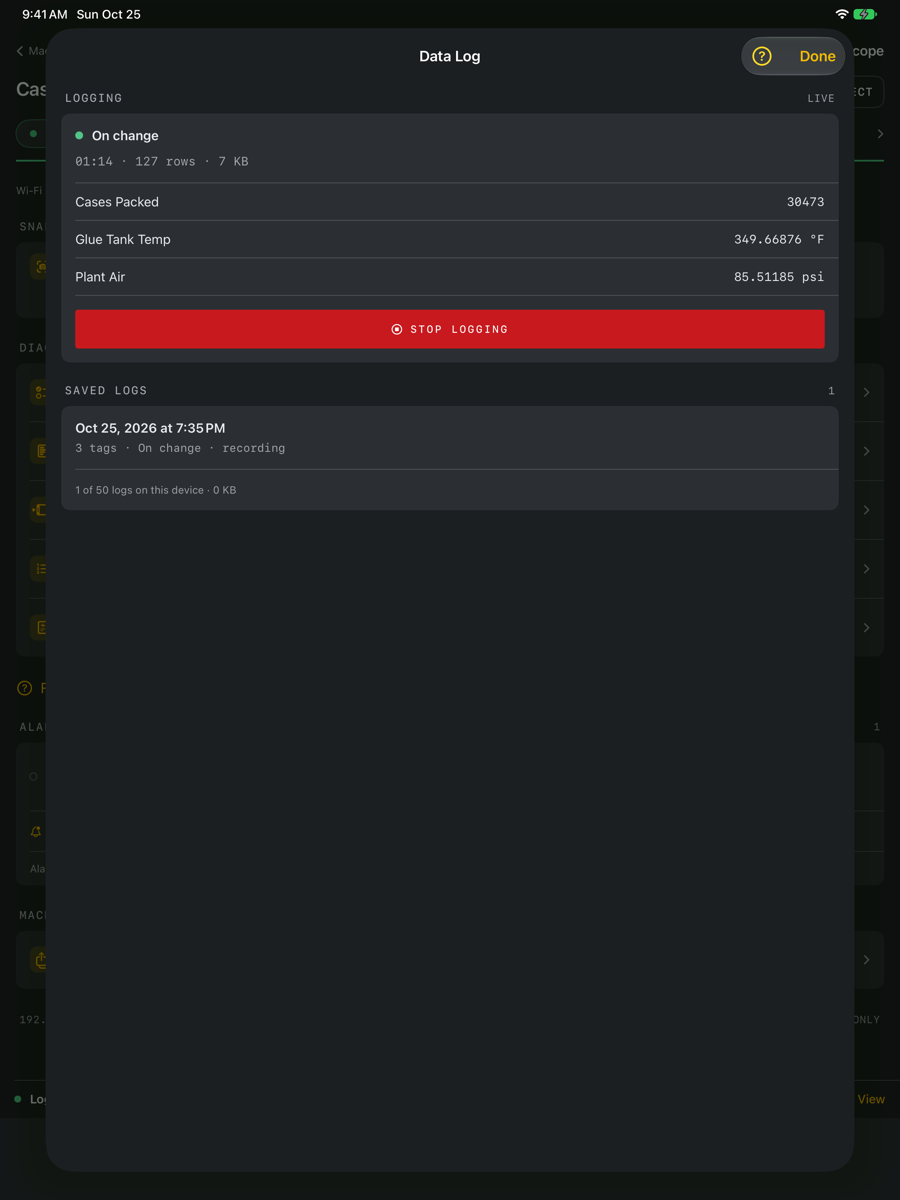
A data log records the tags you choose to a CSV file on this device while you stay connected. Each tag is a column and each row is one reading time, so the file opens directly in Excel or Numbers for charting and analysis. Logged tags are read the whole time, whichever group is open.
Choose tags and how to record
Choose up to 20 tags from the machine's groups. Every interval writes a row at the spacing you choose, from 0.5 seconds to 1 minute; it cannot be faster than LScope reads the controller. Each row uses the reading taken closest to its time, so the spacing between rows can vary by up to one read while the overall rate stays as chosen; the elapsed column shows exactly when each reading was taken. On change writes a row only when a logged value changes, which keeps long logs small. Changes are seen as often as LScope reads the controller, so a value that changes and changes back between two reads is not recorded. Choose when to stop: after a set time, or until you stop it.
While logging
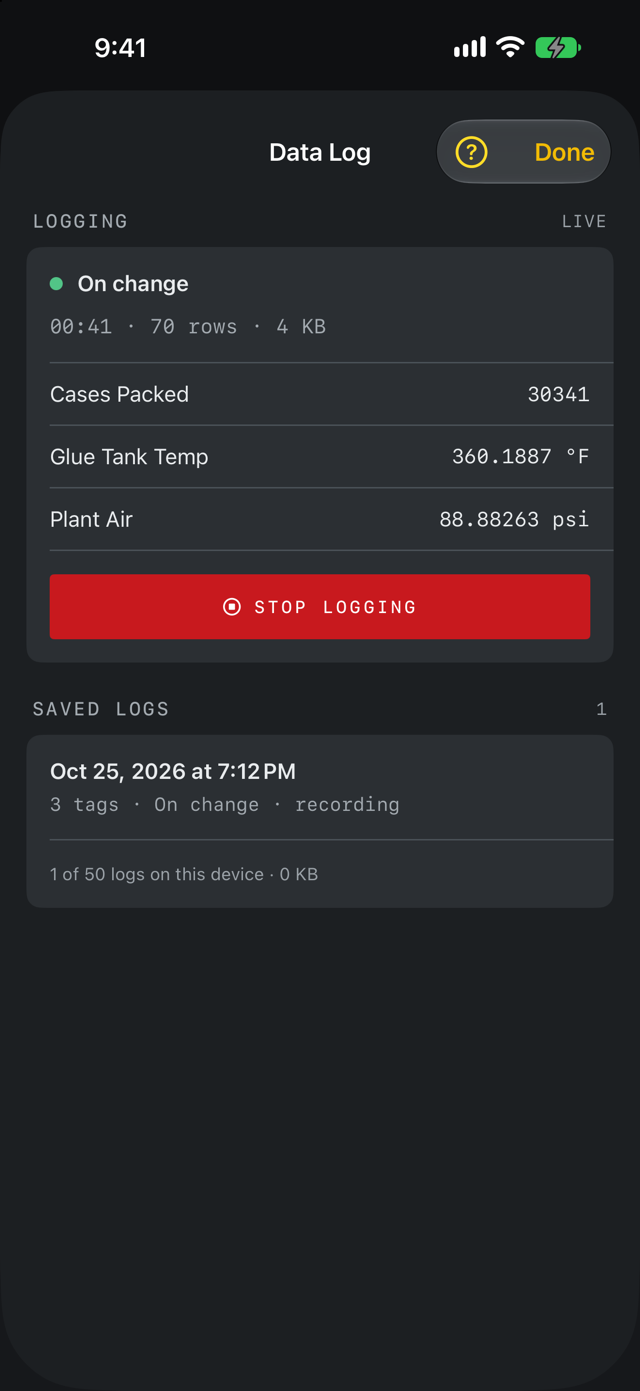
A Logging strip stays above the tabs with the row count and file size. Tap it to see the latest values or stop. The screen stays awake while logging. Keep LScope open: iOS pauses apps in the background, so time spent in another app or with the screen locked is written to the file as a marked gap, and logging continues when you return. A reminder appears each time you start a log, and a notice tells you how long logging was paused if you leave and come back. Leaving the machine or disconnecting ends the log and keeps the file.
Limits
A log stops by itself at 25 MB, which is about a day of 10 tags every half second, or if the device runs low on storage. LScope will not start a log with less than 500 MB free. Up to 50 logs are kept; delete old ones to start more. If the app ends unexpectedly, the rows written before then are kept.
Read the file
The columns are time (local), elapsed seconds, one column per tag named by its label and units, and a note column. A blank cell means the tag could not be read at that moment; LScope never repeats an old value in its place. Gap rows say why readings stopped. Lines starting with # at the end describe the machine, the recording mode and why the log ended. Text tags are written in double quotes. "" is an empty text, which is different from a blank cell.
Share a log
Saved logs are listed under Saved Logs with their duration, rows and size. Share CSV sends the file through Messages, Mail, AirDrop or Files. Delete removes it from this device.