Feature guide
Add Tags: type, browse or import
Find tag addresses, review your selection and add the tags you want to a machine group.
Find it: Machine > Tags > Add Tags
Choose a starting point
Type lets you search or enter an exact address. Browse helps explore the available catalog and controller structures. Import CSV loads a controller export or an LScope tag list for review. All three lead to a selection you confirm before adding to the current group.
Search by what you know
Enter part of a name or path. Available imported descriptions are searchable too. Description search depends on metadata in the saved catalog; the controller browser does not guarantee description text. Program scope, array indexes and member paths distinguish addresses that otherwise look similar.
Browse structures and bits
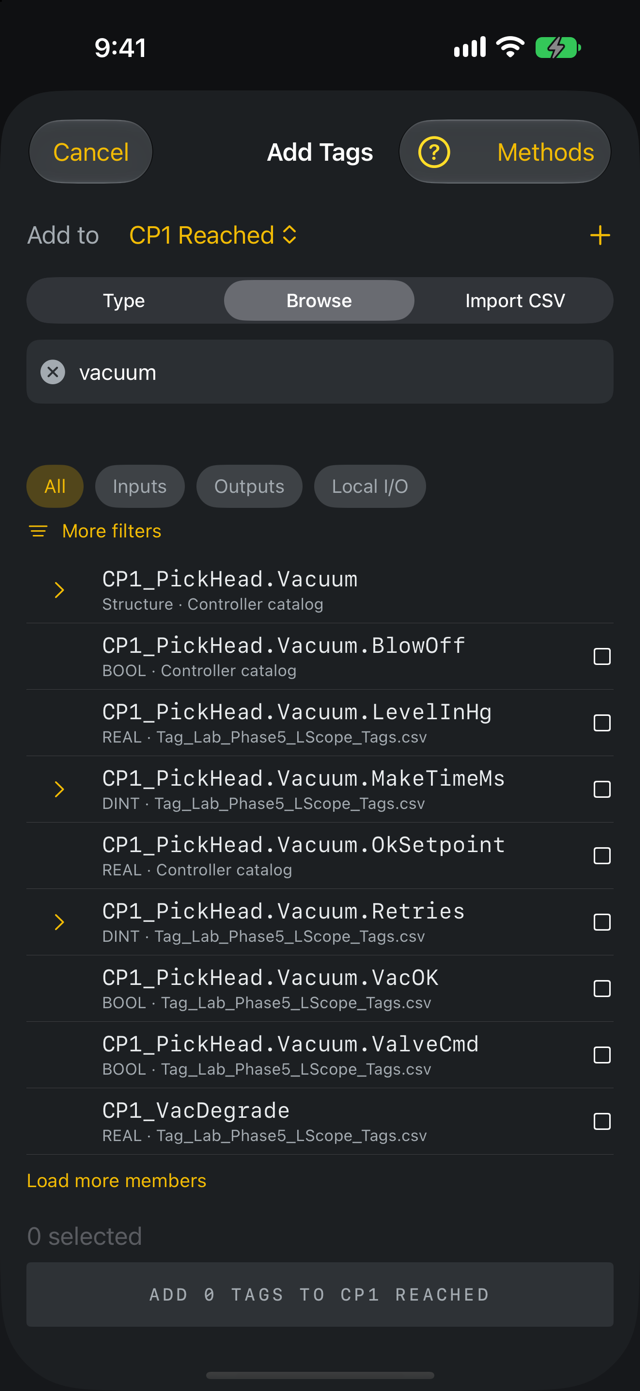
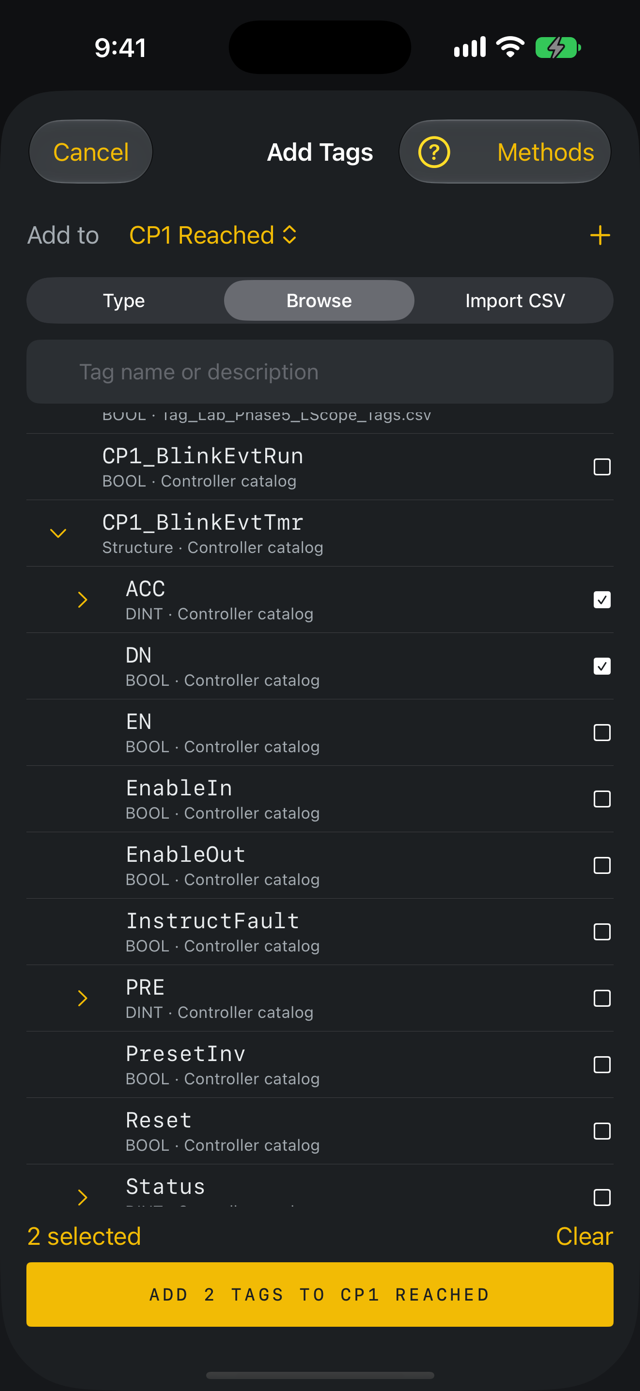
Use the available type and I/O filters to narrow results. Tap the arrow beside a structure or array to show its members indented beneath it, and tap it again to close them; the search is left as you typed it. Integer values may expose individual bits. A whole container is not the same as a readable leaf. Filter categories use available naming and type metadata; they are not automatic electrical documentation. STRING tags and other string types show their type name and are added like any other tag. They do not open into LEN and DATA.
Import a controller CSV
Choose the file, review its format and any skipped records, then use the imported catalog. Controller exports start with no tags selected. Search the catalog and select only the signals you need. LScope's curated tag-list format can prepare a selection for review. Neither case should require adding an entire controller database to your screen.
Review before adding
Check the selected count and addresses, remove unwanted selections and confirm Add. Already-present tags are identified. Cancelling before the final addition leaves the group unchanged. If a tag cannot be read after adding, verify the path and controller connection; a catalog entry does not prove a live tag can be read.
Choose a CSV template
Use the website template page for the blank CSV, populated example and workbook. Preserve exact tag addresses and column headings. Use the controller export's native CSV structure when importing that format. Review import messages instead of assuming every record was accepted.