Feature guide
Alarms and alarm history
Watch configured tag thresholds, acknowledge alerts and review recorded trips.
Find it: Machine > Diagnostics > Set Alarm or Alarm History, or a tag's screen > More (...) > Set Alarm
Set an alarm
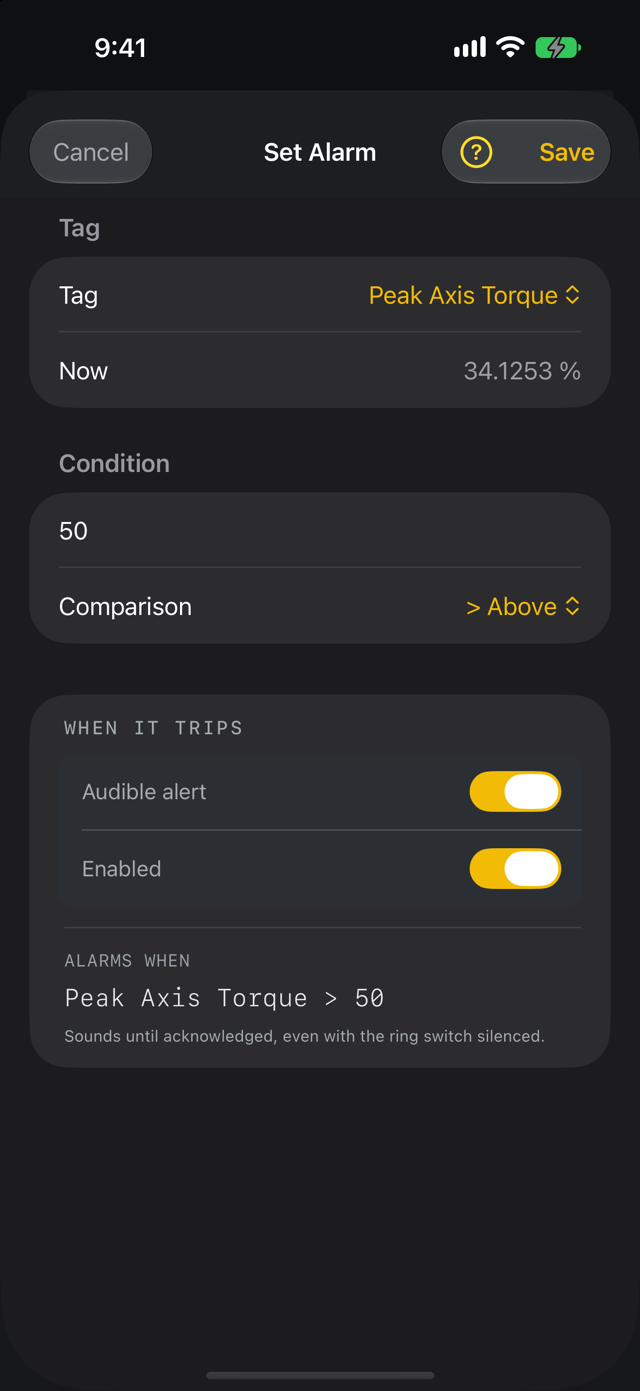
Choose a watched tag, comparison and setpoint. Read the preview of when the alarm will activate. Turn Audible alert on or off. This creates an LScope alarm; it does not configure or acknowledge an alarm inside the controller.
Set a text alarm
For a STRING tag the alarm compares text. Choose Equal to or Not equal to and enter the text, for example Not equal to Recipe 3 to know when another recipe is loaded. It ignores upper and lower case and spaces at either end unless Exact match is on.
Acknowledge and silence
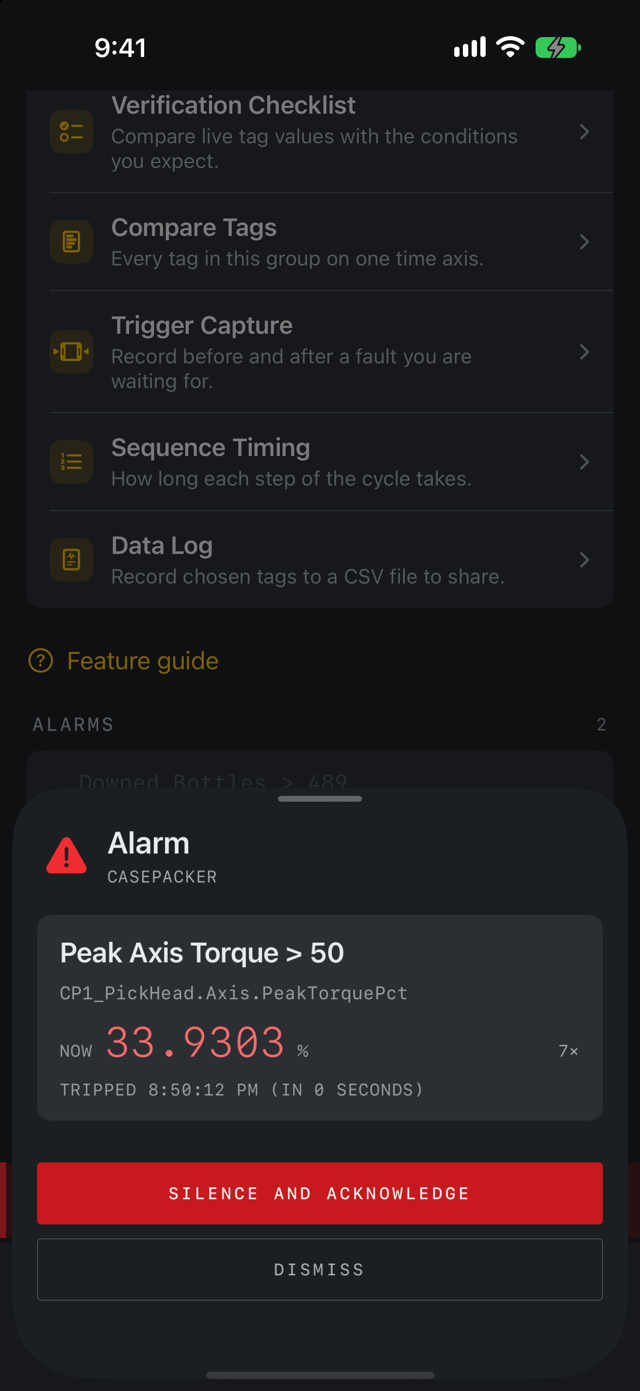
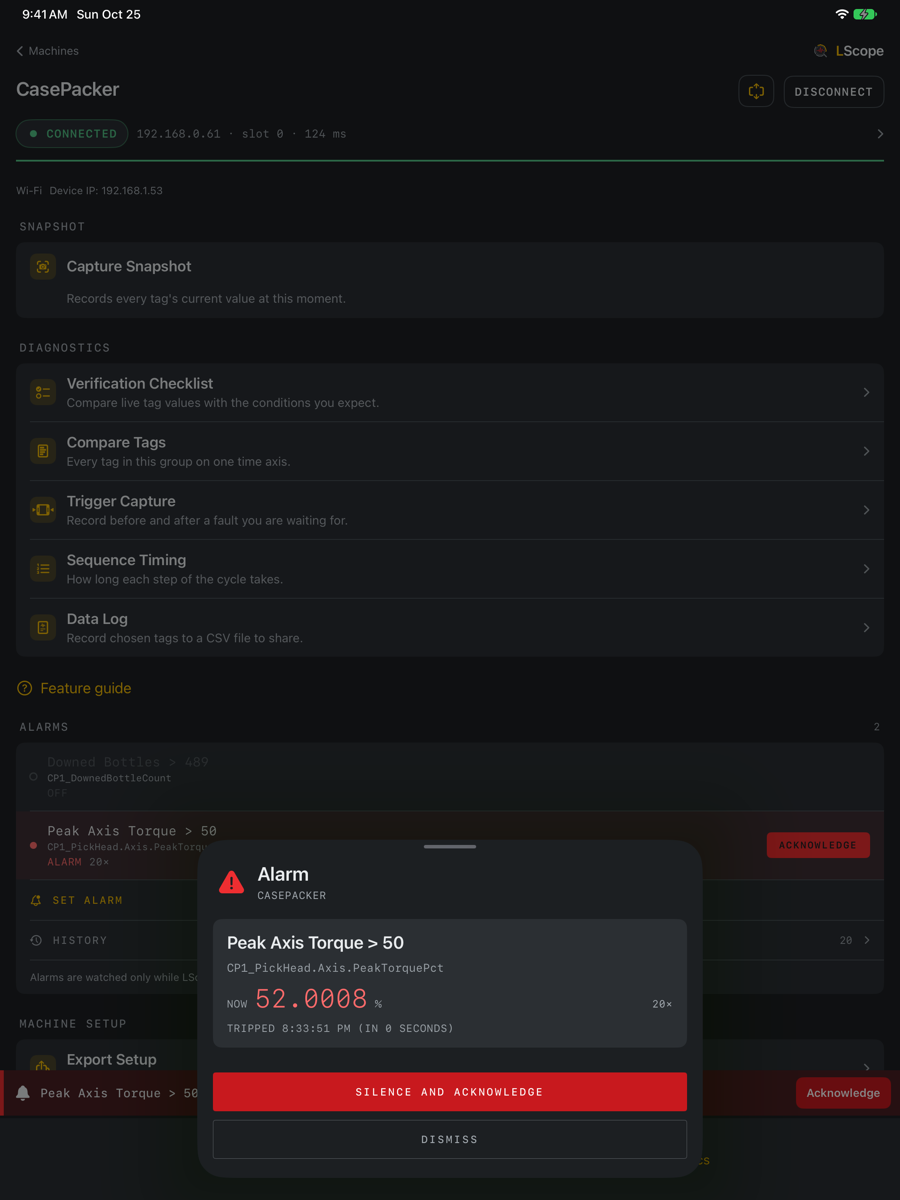
Acknowledge records that you have seen an app alarm. It does not clear the underlying condition. Silence affects the sound. A latched alarm may remain visible after the condition clears until acknowledged. Dismissing an alert is not the same as removing its rule.
Review history
Alarm History lists recorded trips for this machine with timing and available values. A cleared time may be absent for an active event. Export CSV before clearing history if you need those records. Deleting a rule and clearing its history are different actions.
When readings are unavailable
An unreadable or stale value is not evidence that the process is within limits. Check the connection and tag's quality before relying on the displayed condition. LScope depends on app polling and availability; it is not the machine's protective control system. Alarms are watched only while LScope is open on screen: reading stops when the app goes to the background and resumes when you return. Keep screen awake, in Connection Details under Connection Health and Settings, stops the screen from locking while LScope is open.